Self-hosted
Free
All of it, under the GNU AGPL. Start it on your server, and the install guide takes you the rest of the way.
- Every feature, no limits
- Your server, your data
- Community help on GitHub
 MeetAlias
Simple, lightweight meeting scheduling for Google Meet and Microsoft Teams: readable meeting links, invitations in your own colours, booking pages, and a meeting history for every client.
Open source, on your own server.
About
Instead of meet.google.com/abc-defg-hij or a long Teams link, your guests get meet.yourcompany.com/m/kickoff. Your team creates the meeting once: MeetAlias makes the calendar event and its Meet or Teams link, gives the meeting a short link that's easy to read, and emails an invitation with a calendar file from your own Gmail or Outlook.
Clients book time on your booking pages, and every meeting is filed under its client automatically. One install can serve several brands, each on its own domain.
Small on purpose
Most scheduling tools grow into platforms: workflow builders, sales pipelines, payments, AI assistants, an app store, and a price for each seat. MeetAlias does the few things a small team needs every day, and stops there. Nothing to configure for weeks, nothing to train people on.
Features
01 · Meetings
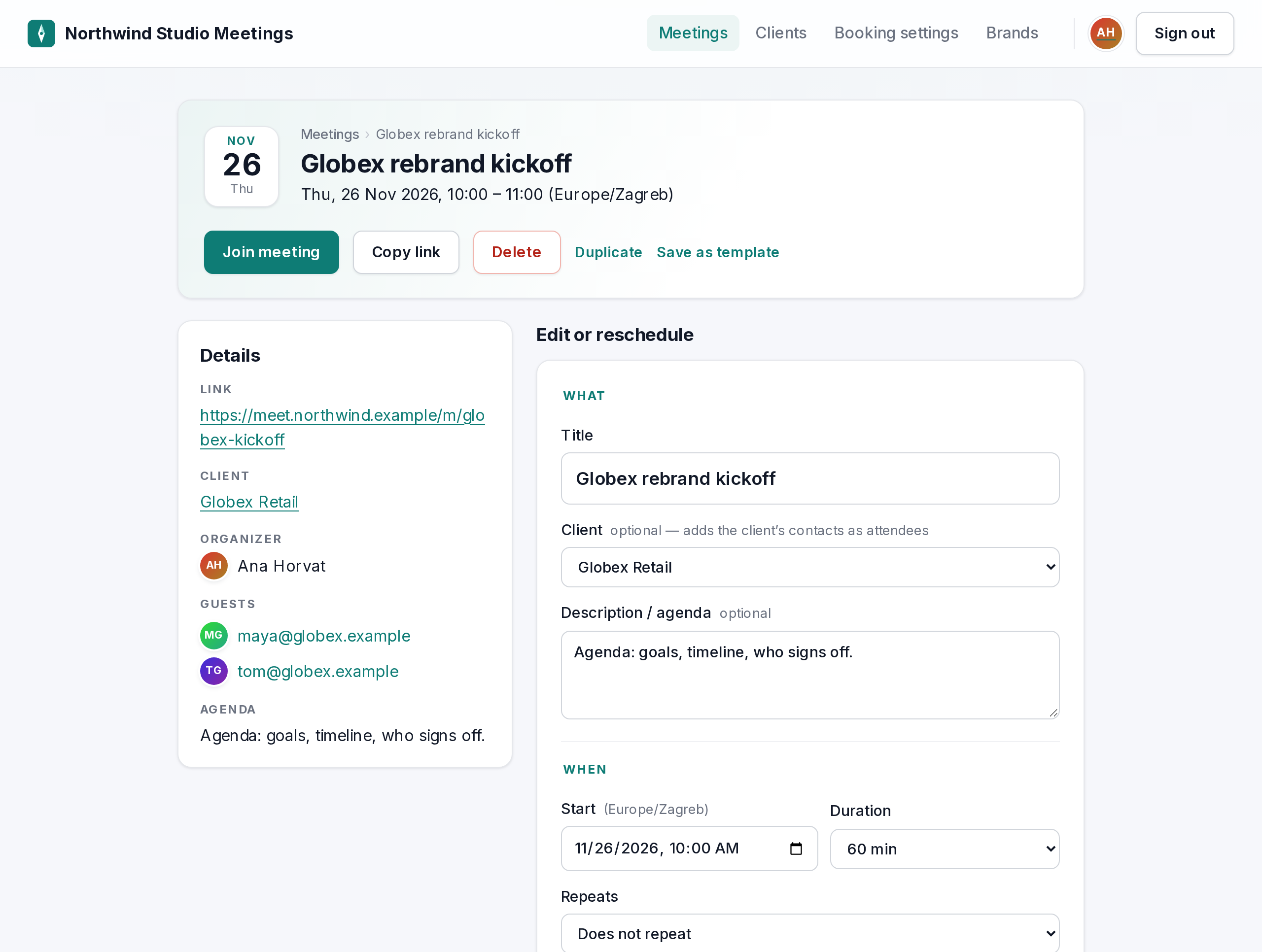
Creating a meeting makes the calendar event and its Meet or Teams link, gives it a short link, and emails every guest an invitation in your brand's colours, with a calendar file attached. If someone moves the event in Google Calendar or Outlook, MeetAlias picks up the change.
02 · Booking pages
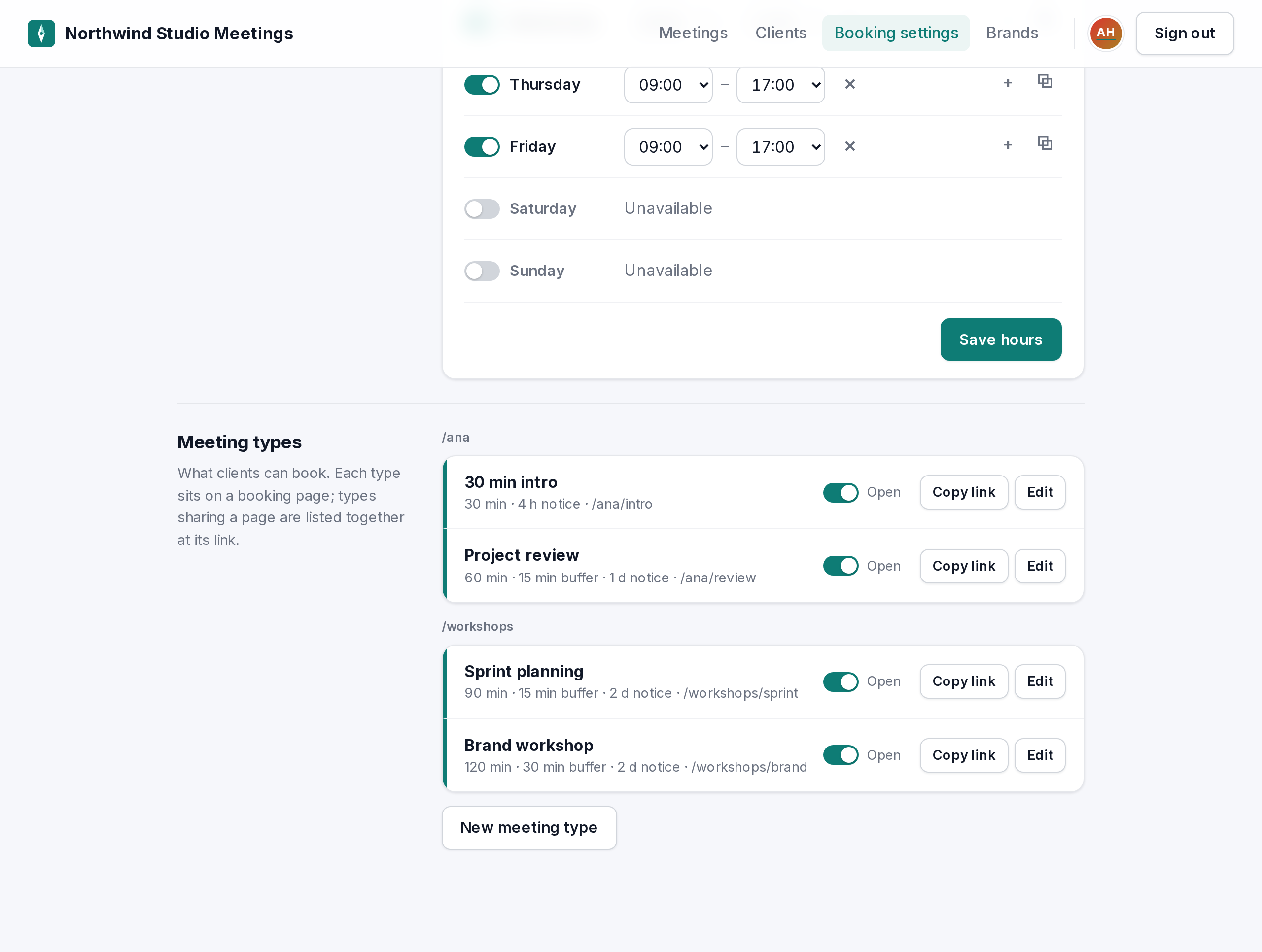
Each person can have several booking pages, each with its own link, title, intro and meeting types: a quick intro call for new clients on one, longer workshops on another. Weekly hours apply to all of them, and anything already in your calendar is left out.
03 · Booking
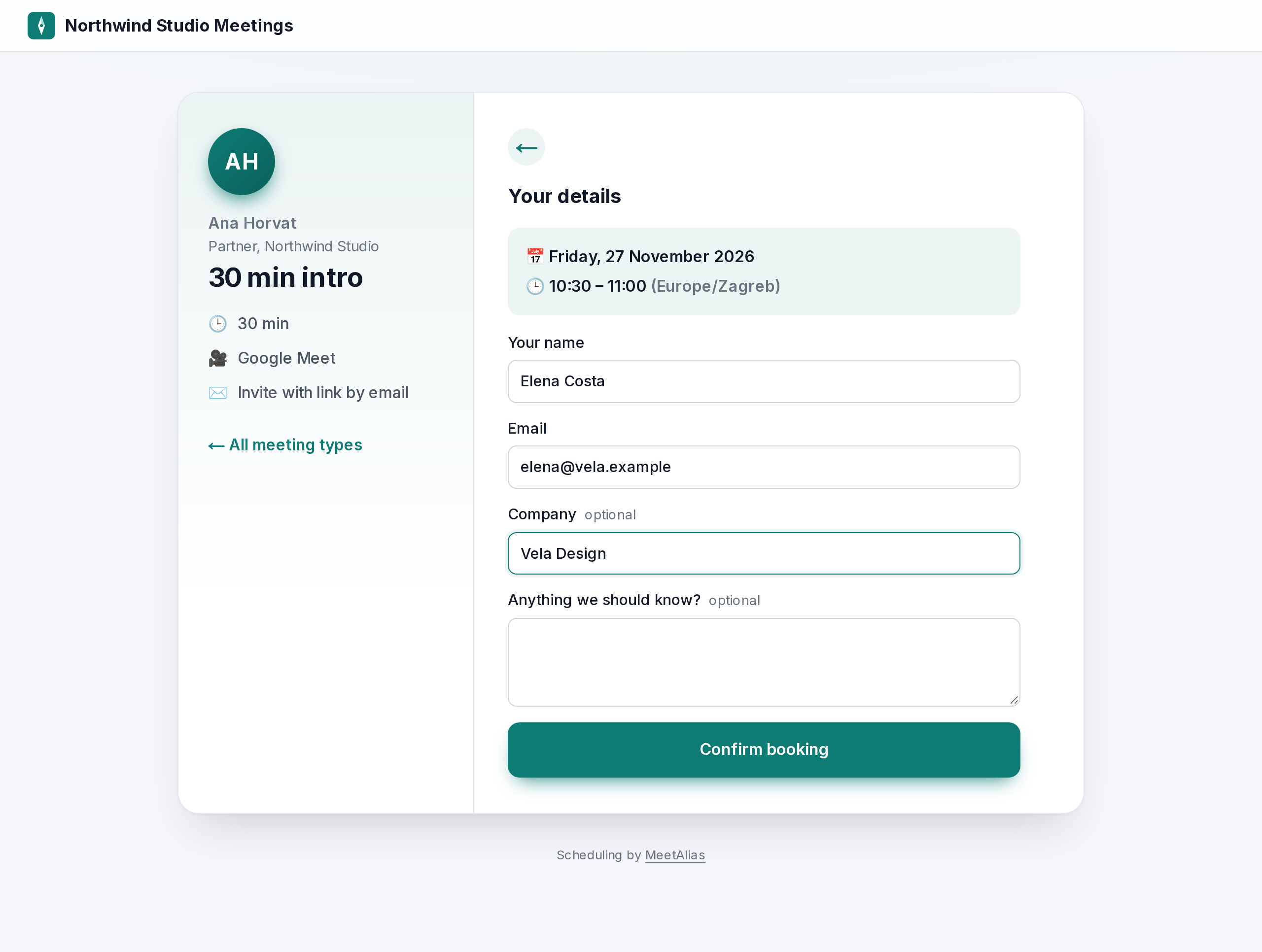
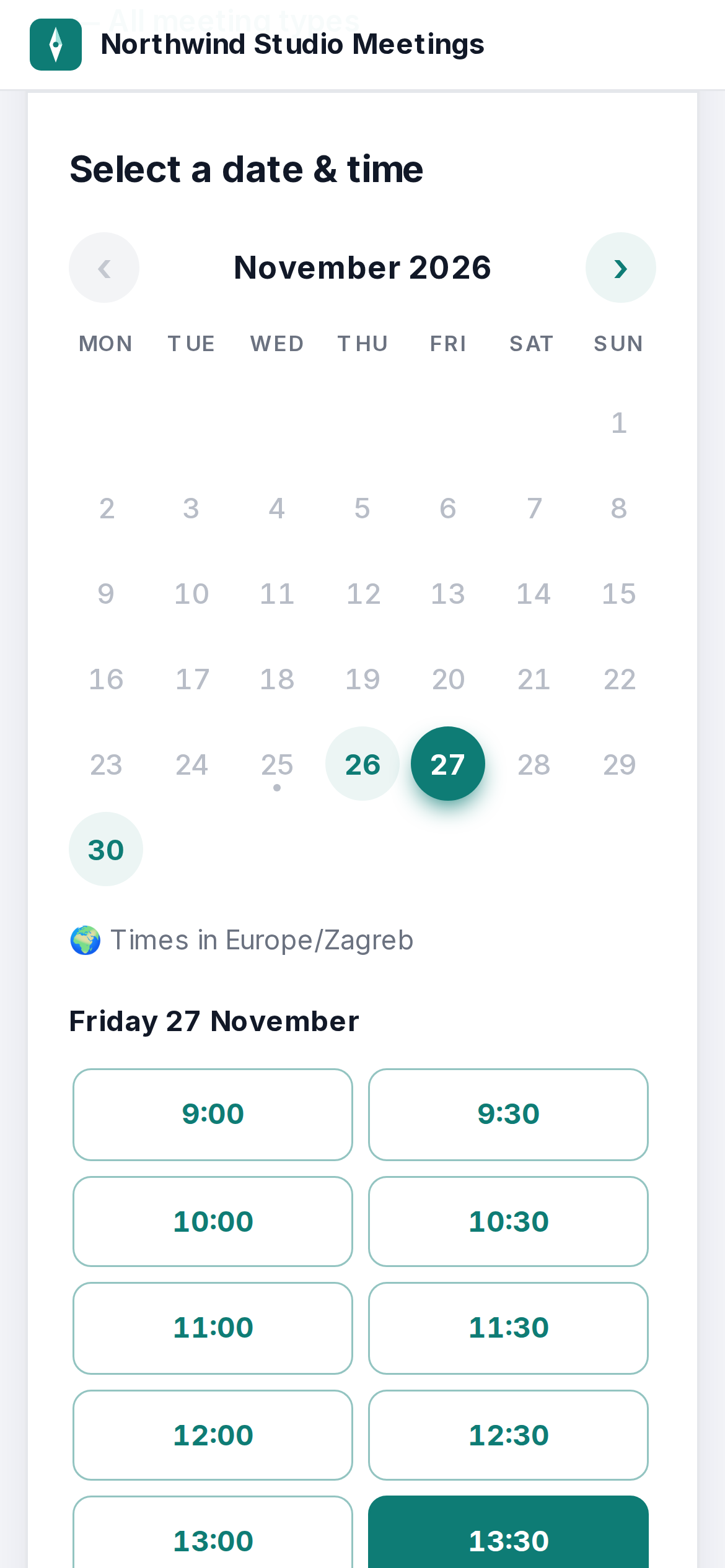
Clients choose a meeting type and a free time, and enter their details. No account needed. They get the same invitation as any other meeting, with a link to reschedule or cancel, and a reminder the day before.
04 · Confirmation
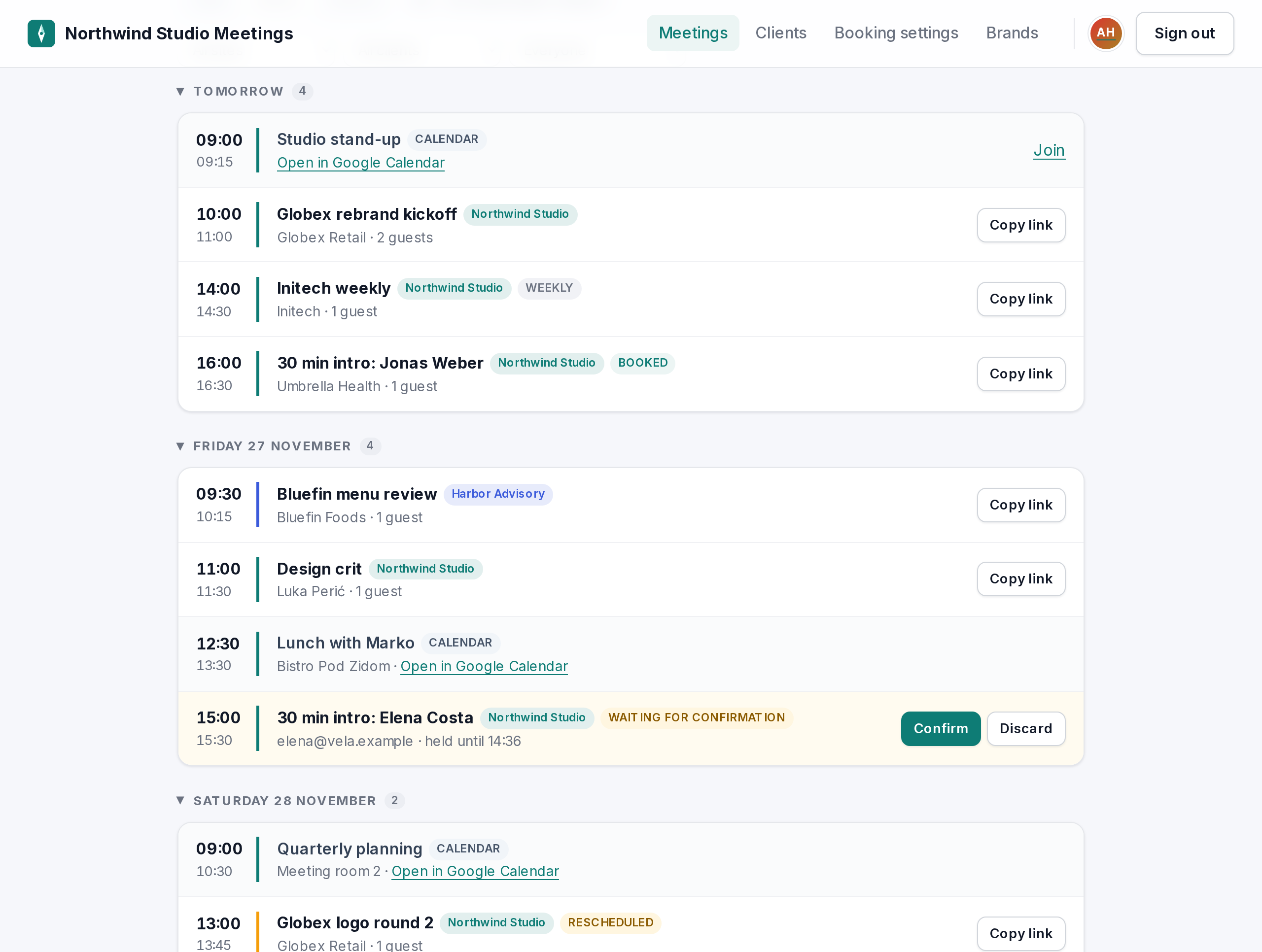
Every online booking is confirmed by email before it becomes a meeting. Until the client clicks the link, the time is held for 30 minutes and shown in your list as waiting for confirmation. Nothing reaches your calendar yet.
05 · Clients
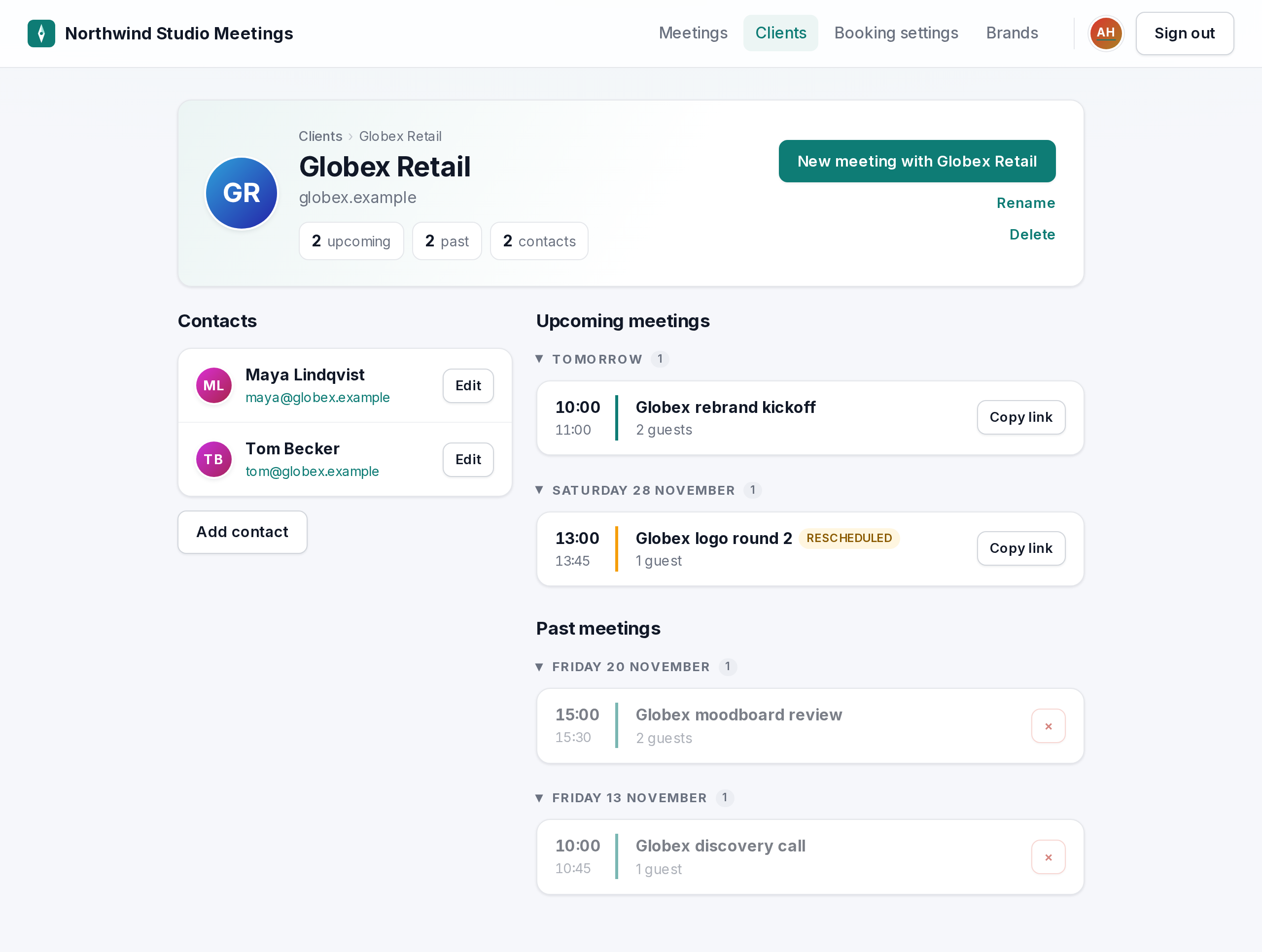
Bookings and meetings are matched to clients by contact email or company domain, so each client's page lists every upcoming and past meeting without anyone keeping it up to date.
06 · Brands
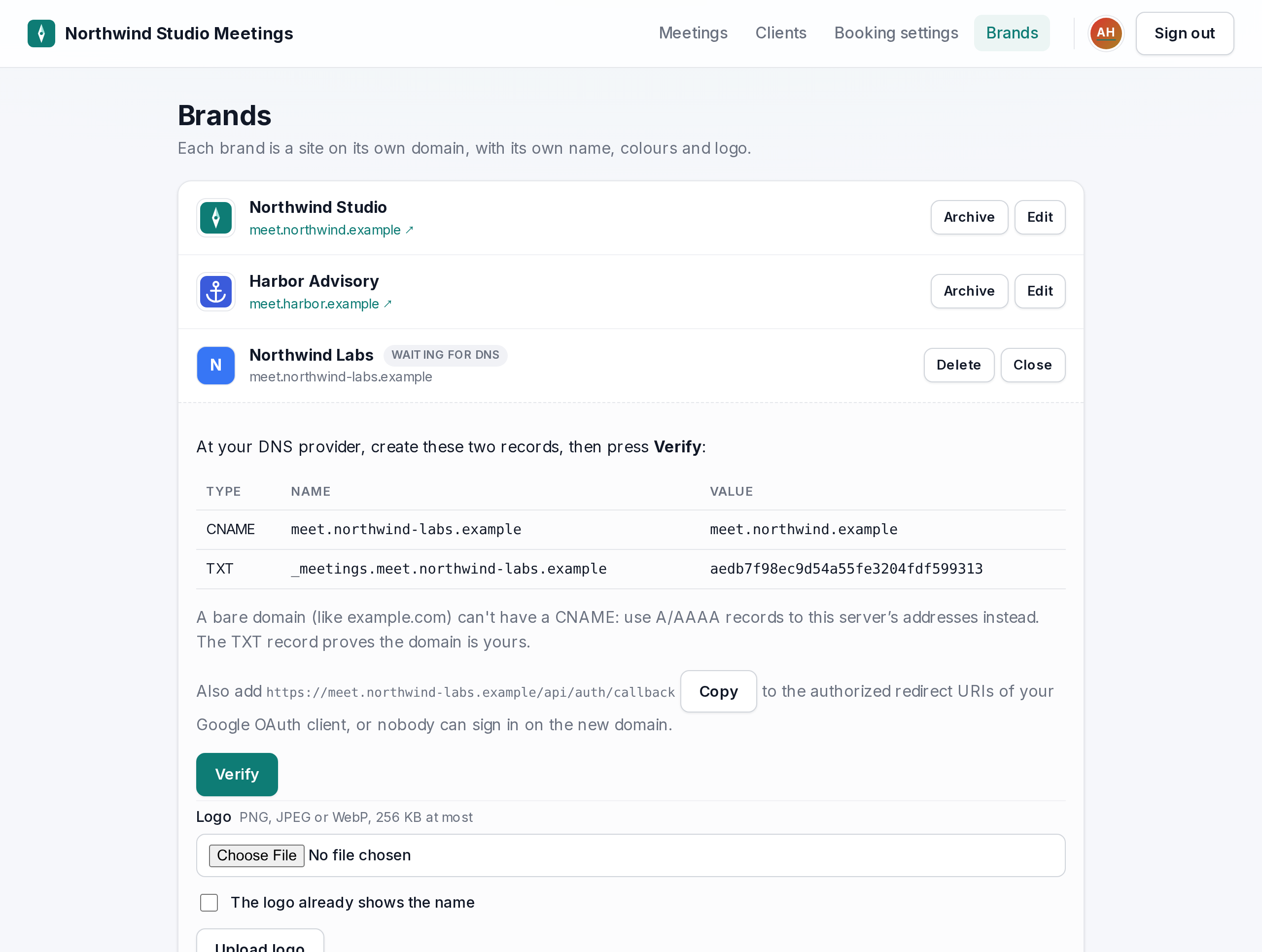
Each brand is its own site on its own domain, with its own name, colours and logo on every page and invitation. Add one in the app: it shows the two DNS records to create and goes live once they work.
07 · On the go
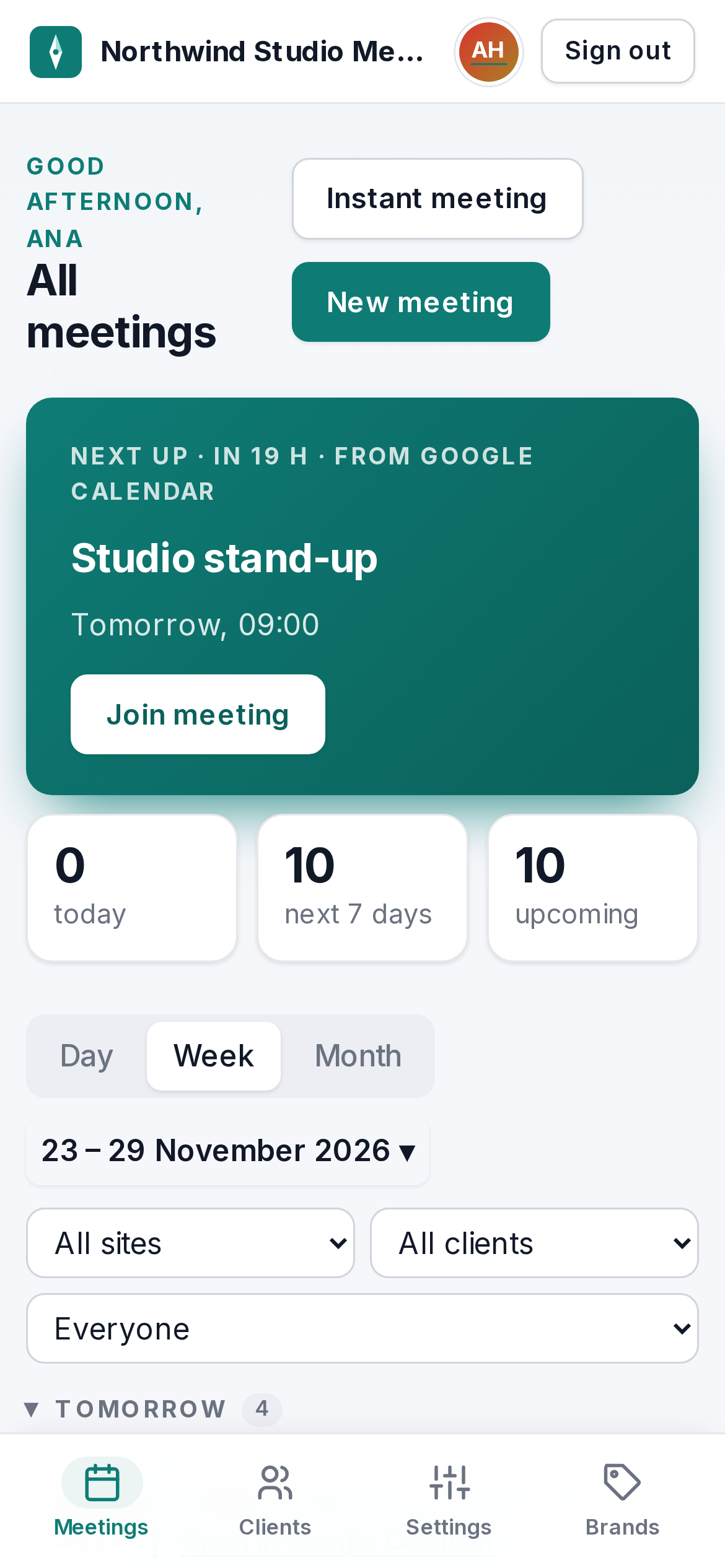
Staff get a bottom tab bar and full-width forms. Clients can book from a phone in a few taps. The screenshots show a made-up studio with two brands, Northwind Studio and Harbor Advisory.
How it runs
Events, Meet or Teams links and emails are created in each person's own Google or Microsoft account. Sign-in is with your company's Google Workspace or Microsoft 365, and only for your domain. Your data stays in your database, and nothing reports back to anyone.
Pricing
Billed
Prices in
Free
All of it, under the GNU AGPL. Start it on your server, and the install guide takes you the rest of the way.
€14 / month
€168 billed yearly, or €18 month to month
We run MeetAlias for your company on your domain, and keep it updated.
€29 / month
€348 billed yearly, or €36 month to month
Everything in Starter, for a bigger team with more ways to be booked.
€49 / month
€588 billed yearly, or €61 month to month
Everything in Team, for as many people and brands as you have.
Every plan has unlimited meetings and meeting types. You set up DNS and your Google or Microsoft sign-in with our guide; if you would rather do it together with us, book setup help: €49, once.
FAQ
MeetAlias is simple, open-source meeting scheduling for small teams on Google Workspace or Microsoft 365. It gives every Google Meet or Microsoft Teams meeting a readable link on your own domain, sends invitations in your own colours, offers booking pages, and files every meeting under its client.
Yes. MeetAlias works with Google Workspace (Google Calendar, Google Meet and Gmail) and with Microsoft 365 (Outlook and Microsoft Teams). Events, meeting links and invitations are created in each person's own account.
Self-hosting is free under the GNU AGPL v3. Hosted MeetAlias costs €14 a month for up to 3 people, €29 a month for up to 5 people, or €49 a month for unlimited people and several brands, billed yearly. Month to month it is €18, €36 or €61.
Yes. The full source is on GitHub, and the install guide takes you from a blank server to a running site. All features are included and nothing reports back to us.
MeetAlias is small on purpose: readable meeting links, branded invitations, booking pages and a meeting history per client, with no workflow builders, CRM, payments or add-ons. Hosted pricing is a flat price per company rather than per person, and you can run it yourself for free.
Hosted installs run on servers in the EU, and every customer gets their own install and database. Self-hosted installs keep all data on your own server.
Want it hosted, need a feature, or not sure it fits? Book a short call, on a MeetAlias booking page of course.